Coding is changing very fast. Earlier, developers had to write every line of code on their own. Then tools like auto-complete and code suggestions came.I have been coding for 6 years, and the tools keep getting crazier. Just when I thought code assistants couldn’t improve, Cursor AI showed up and kinda blew my mind.
Let me break down what this is. At Technical Dudes, we test these tools so you don’t waste time figuring them out yourself.
What Is Cursor AI?
Cursor AI is a modern code editor tool with AI built right into it. It is not a normal editor like the traditional tools we use.
Cursor AI works like an assistant that understands your code and helps you improve your code. Think Microsoft Word, but for code, except with a smart assistant helping you write better code faster. You can ask Cursor AI questions, edit code, fix errors and generate new code using simple instructions. It feels like you are working with a teammate, not some software.
Unlike other tools where AI is an add-on, Cursor was built from scratch with AI in mind. It doesn’t just complete code — it understands what you’re building and suggests entire working chunks.
Real example: Building a login system last week, I typed “validate password with minimum 8 characters,s” and the cursor wrote the complete validation function. Correct logic, proper error handling, everything.
The crazy part? It learns your coding style. After a few days, it writes code matching how YOU code.
How’s It Different?
You’ve probably heard about AI coding assistants like GitHub Copilot or tools similar to OpenAI Codex. What makes Cursor special?
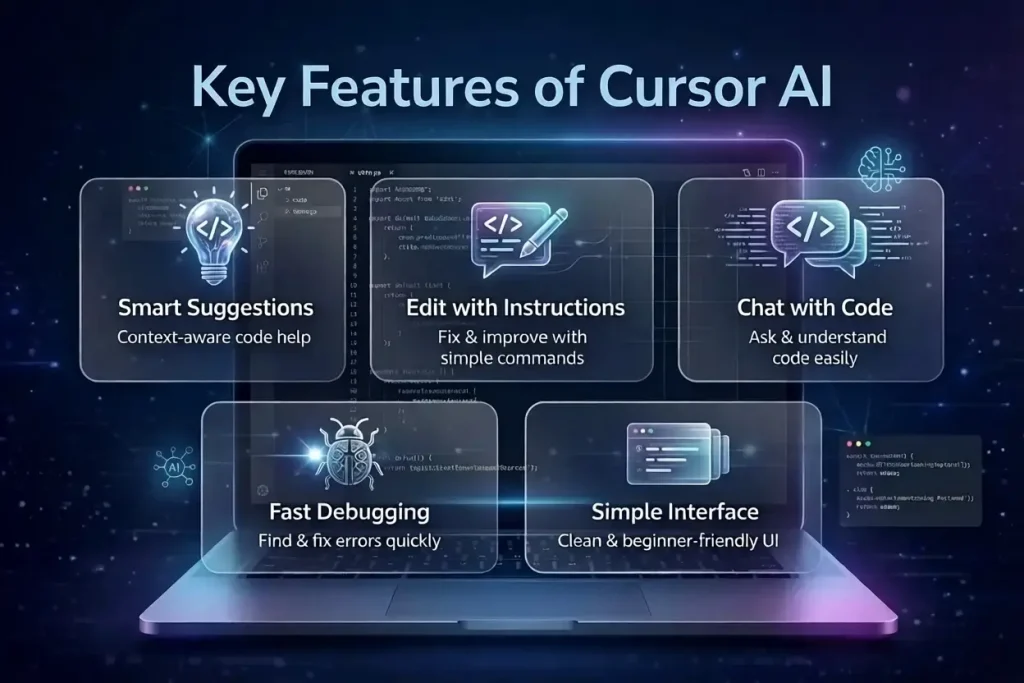
It IS the editor: Most AI tools are plugins inside existing editors. The cursor IS the code editor. Everything’s integrated smoothly.
Sees Your Entire Project: Other tools look at one file. Cursor sees your ENTIRE codebase. Way smarter suggestions because it knows how files connect.
Chat Feature: You can literally chat with it. Ask, “Why isn’t this working?” or “Make this faster,” and it explains or fixes things.
Multi-File Editing: Need changes across multiple files? Tell the cursor, and it updates everything at once. Saves hours.
Who Uses Cursor?
Solo Developers: People building alone use it to move faster. My freelancer friend cut development time almost in half.
Startups: Small teams building MVPs quickly love it. Limited people, limited time — AI that understands your project helps massively.
Learners: Beginners ask questions without feeling stupid. Similar to how OpenAI Codex helps generate code from instructions, Cursor teaches by showing AND explaining while you work.
Even experienced devs use it for repetitive stuff. Why write the same database code for the hundredth time?
Cursor AI Pricing in India
Free Plan: Basic features, 50 AI requests monthly. Good for trying it out.
Pro Plan: ₹1,650/month (about $20). Unlimited AI, faster responses, better models. What most serious users get.
Business Plan: ₹2,500/user/month (around $30). Team features, priority support, extra security.
Student Discount: 50% off Pro wita h valid student email. So ₹825/month.
Worth it? If you code 10-15 hours weekly, Pro easily pays for itself. I save 8-10 hours every week. Worth way more than ₹1,650.
Learning or coding occasionally? Start for free first.
Cursor AI vs Traditional Code Editors
Traditional editors only help you write code. Cursor AI goes beyond that.
| Feature | Traditional Editor | Cursor AI |
|---|---|---|
| Auto-complete | Basic | Advanced |
| Error fixing | Manual | AI-assisted |
| Code explanation | No | Yes |
| Speed | Normal | Faster |
This clearly shows how Cursor AI is changing the way coding is done.
Real Problems
Internet Required: Needs a constant connection. AI features don’t work offline at all.
Learning Curve: Takes days to understand how to ask questions properly and use features effectively.
Can Make You Lazy: Easy to rely too much. You still need understanding, not just accepting generated code.
Privacy Concerns: Code gets sent to their servers. They say it’s secure, but read their policy yourself.
Not Perfect: Makes mistakes. Sometimes suggests broken code or outdated methods. Review everything.
Read More :-Which AI tool Is Better ? ChatGPT vs Gemini vs Claude vs Perplexity
Should You Try It
If you write code, yeah, try it. A free plan exists.
Best for:
- Quick project building
- Learning concepts
- Getting unstuck
- Repetitive tasks
- Unfamiliar languages
Not great for:
- Unique creative problems
- Highly secure projects
- Offline work
- Learning basics from scratch
Use it as a helper, not for all thinking. Like how AI coding tools evolved, Cursor shows where development environments are heading.
Final Thoughts
After 3 months, I’m keeping my subscription. Genuinely more productive. Debugging time savings alone justify the cost.
Cursor AI is a powerful tool that is changing the way people write code. It makes coding faster, easier, and more interactive.
If you are starting your coding journey or want to improve your productivity, Cursor AI is definitely worth trying.Revolutionary? Nah. But really well-executed. Everything works smoothly, and AI integration feels natural.
Already using GitHub Copilot? Cursor might feel like an upgrade. Whole-project understanding and chat are legitimately better.
For beginners — da ouble-edged sword. Use it to learn faster, but actually understand what it does. Don’t just copy-paste blindly.
1.Is Cursor AI free to use?
Yes, it has a free version. You can use basic features without paying.
2.What languages does Cursor support?
Pretty much everything — Python, JavaScript, TypeScript, Java, C++, Go, Ruby. Some get better suggestions than others.
3.Can I use it instead of VS Code?
Yes, Cursor’s built on the VS Code foundation. If you use VS Code, Cursor feels very familiar.
4. Does Cursor AI work offline?
No, AI features need the internet. Basic editing works offline, but you lose smart features.
5.Is Cursor AI good for beginners?
Yes, it is very helpful for beginners because it explains code in simple language.
6.Is Cursor AI Different from ChatGPT for coding?
Cursor Ai understands your entire project and suggests in context. ChatGPT gives general answers without knowing your codebase.